



Bank of Baroda Net Banking : Forgot User ID
- Visit the official website of Bank of Baroda – https://www.bankofbaroda.in/
- Click on “Retail User Login”

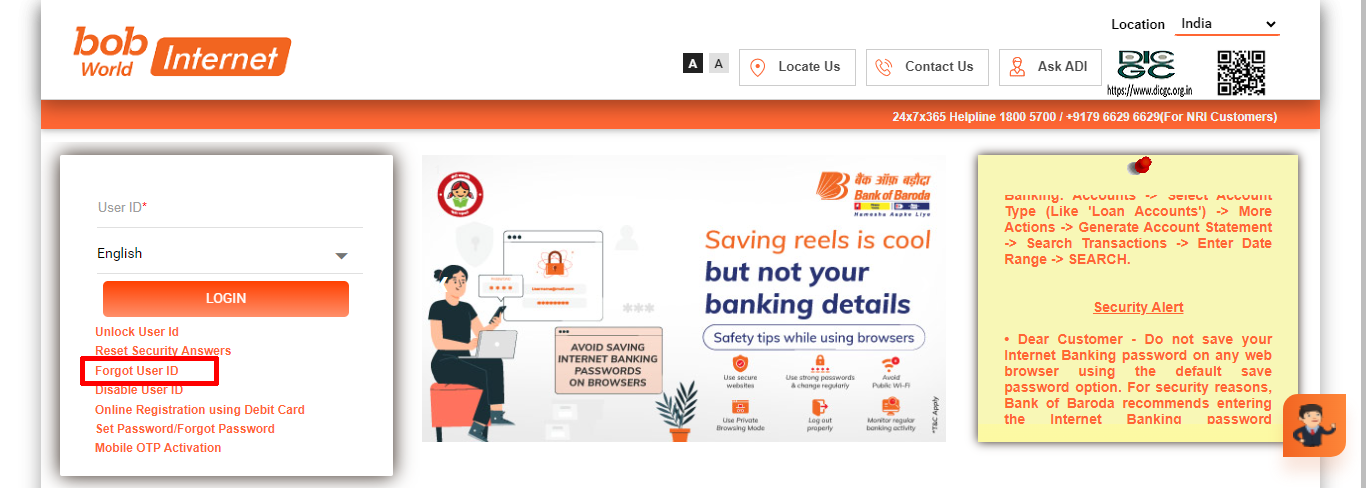
- Click on “Forgot User ID” again
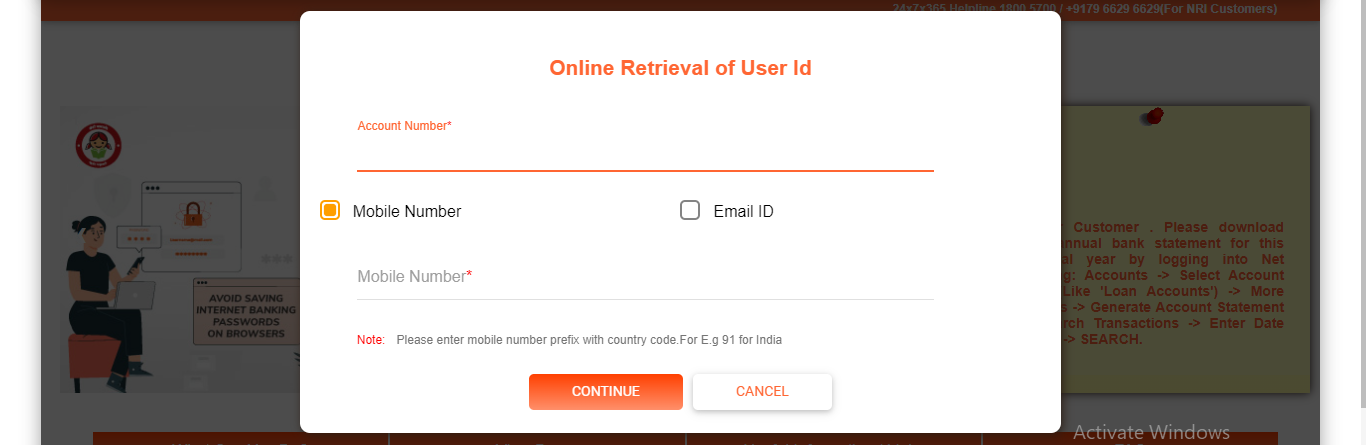
- Enter your “Account Number“, “Mobile Number” and click on “Continue“
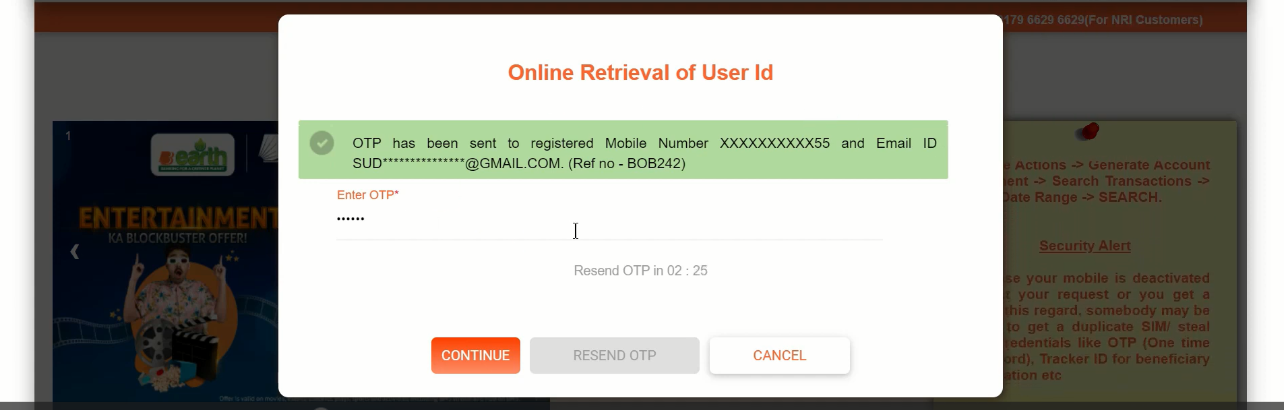
- Enter “OTP” and “Continue” (OTP has been sent to your RMN/Email ID)
- Click “Back to Login“, your user ID will be sent to your RMN or email ID

Bank of Baroda Net Banking : Set SingOn & Transaction Password
- Go to BOB Login Page – BOB Login Page
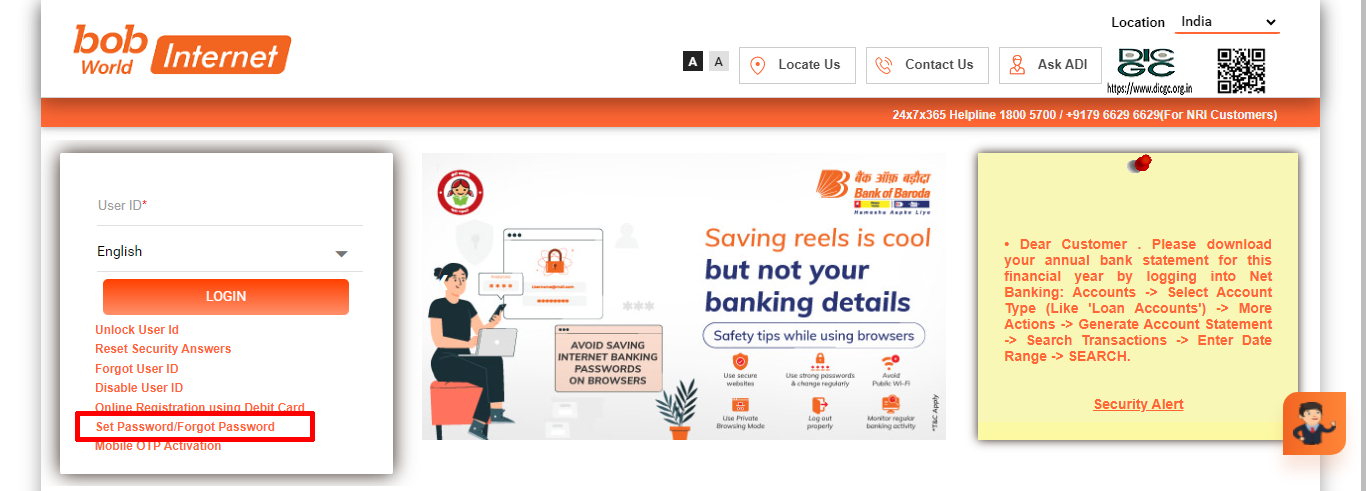
- Then enter your “User ID” and click on “Set Password/Forgot Password”
- Select the first option and “Continue“

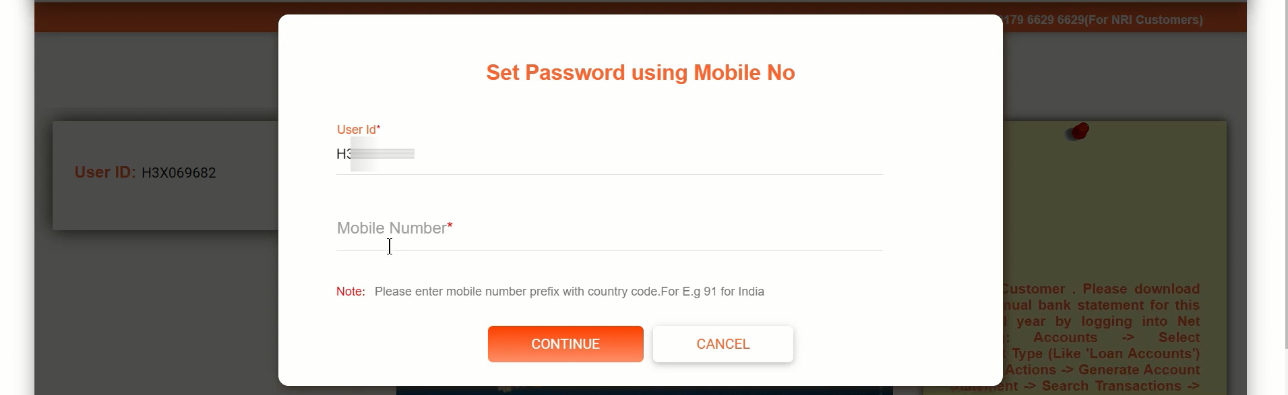
- After typing your “User ID” & “Mobile Number“and hit “Continue“.
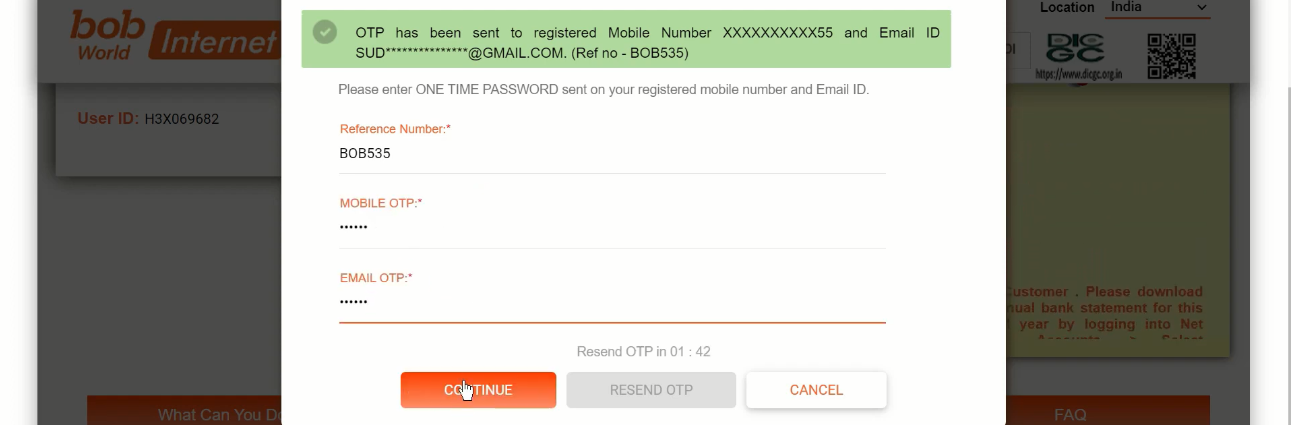
- Enter “OTP” and “Continue“
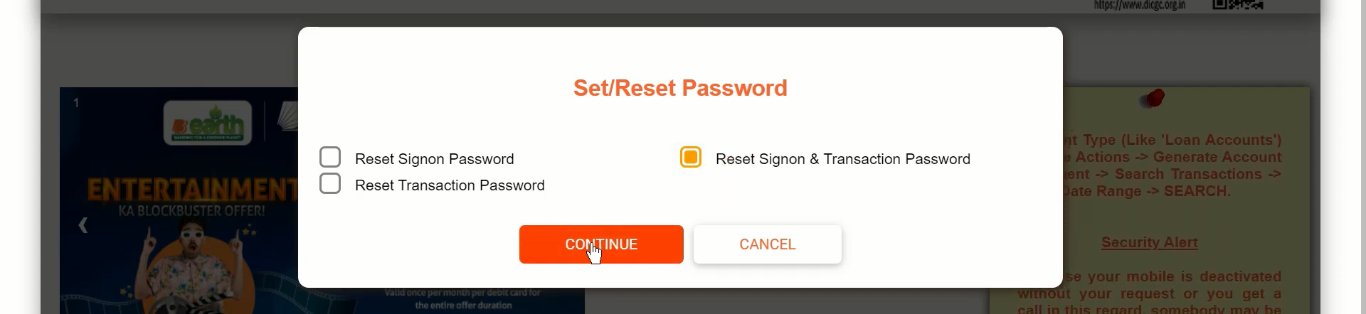
- Click “Continue” after select “Reset Signon and Transaction Password“.
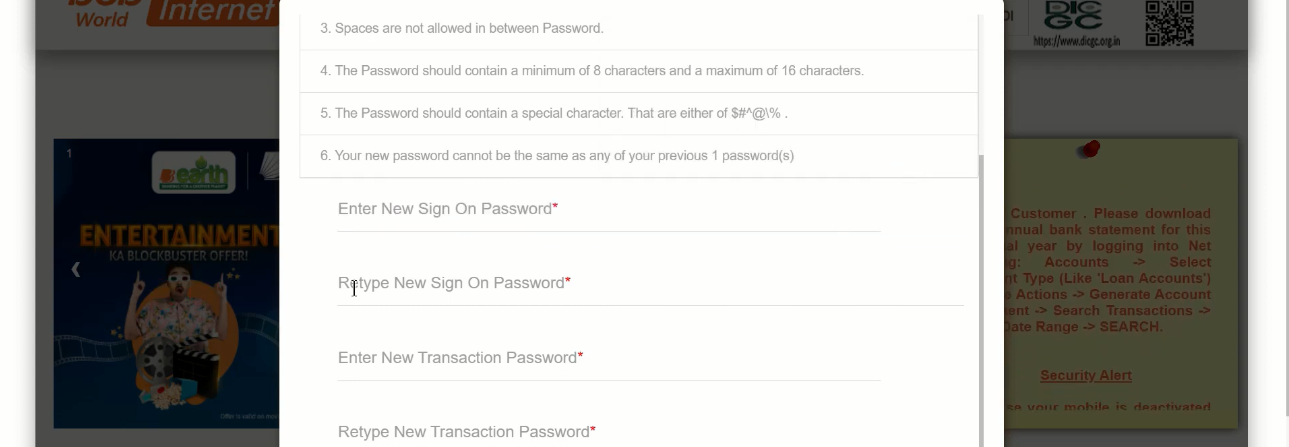
- Then enter your new “Sign On” or “Transaction Password“, reconfirm and click “Submit“
- Now your password has been set successfully, click on “Go to Login Page”
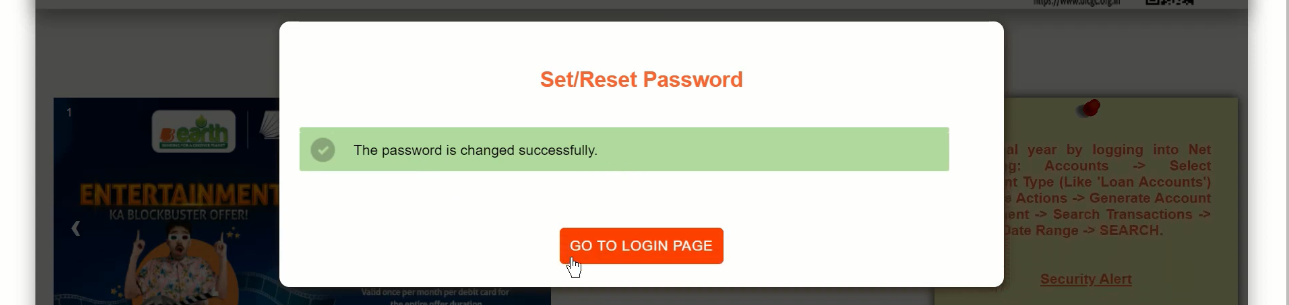
- Enter your “User ID” and click on “Login“
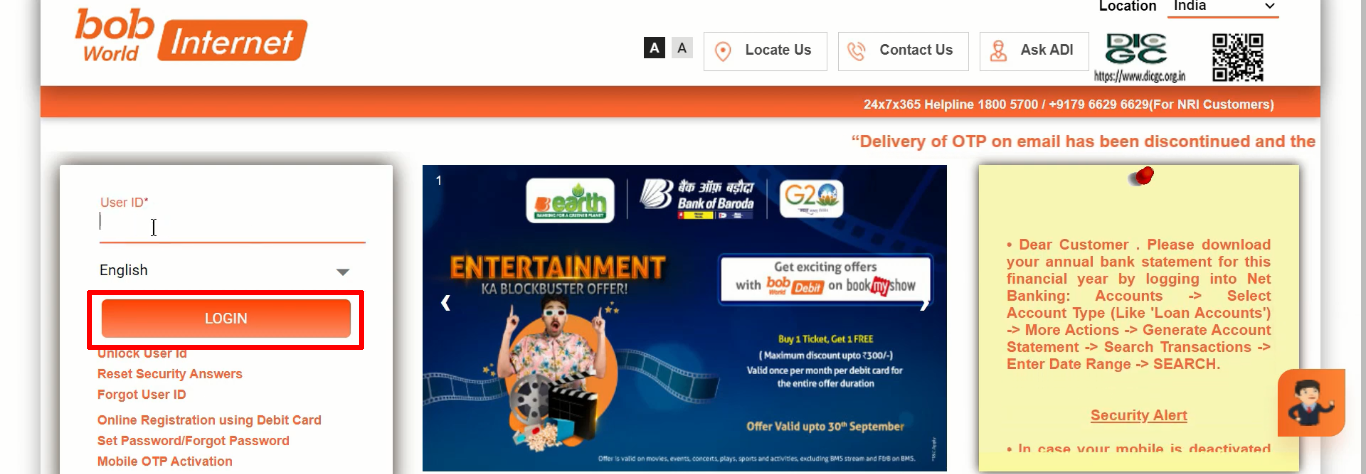
- Again enter “Sign On Password“, “Captcha“, click “Login“
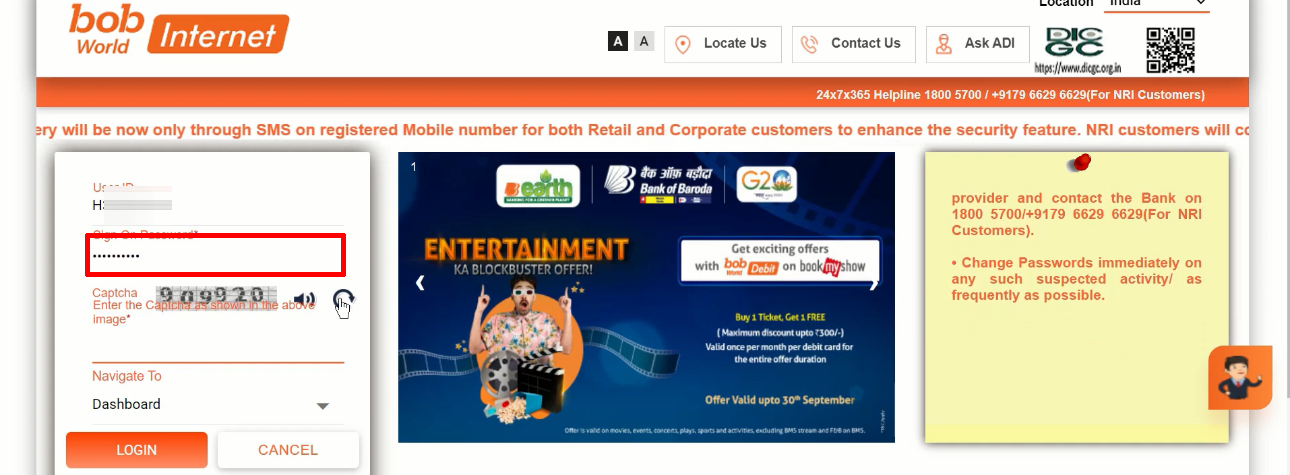
- Click on the “Enroll Now” button
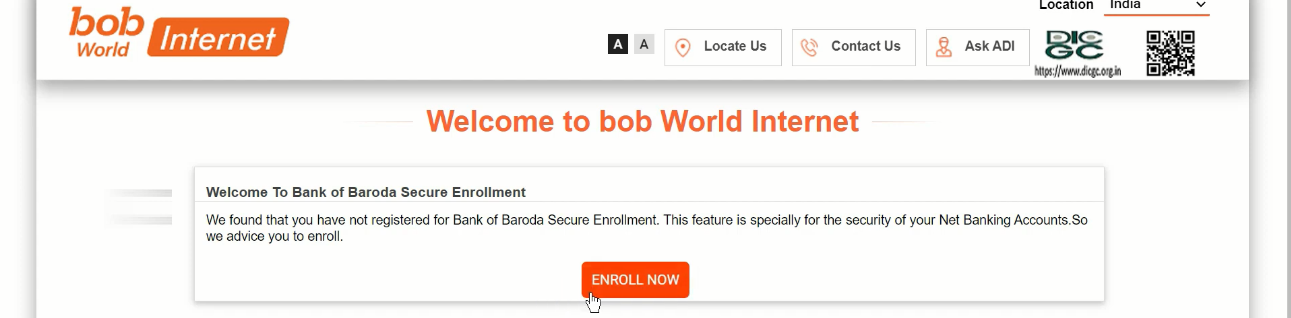
- Enter your name on “Personal Message“
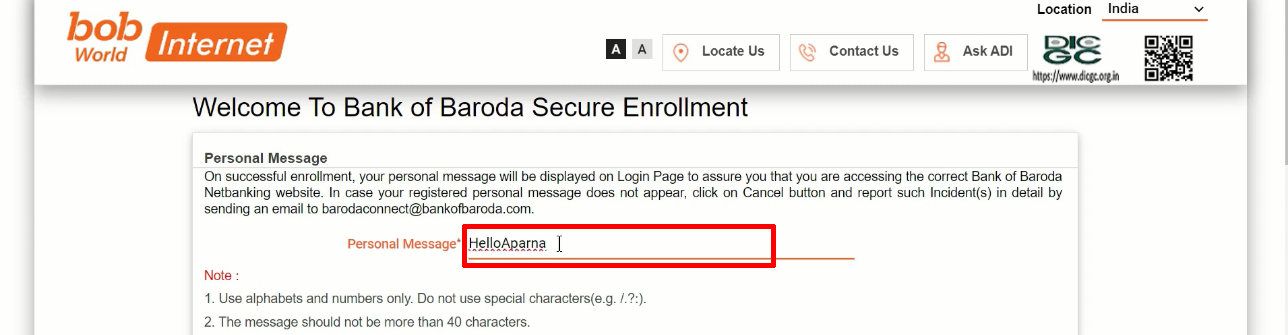
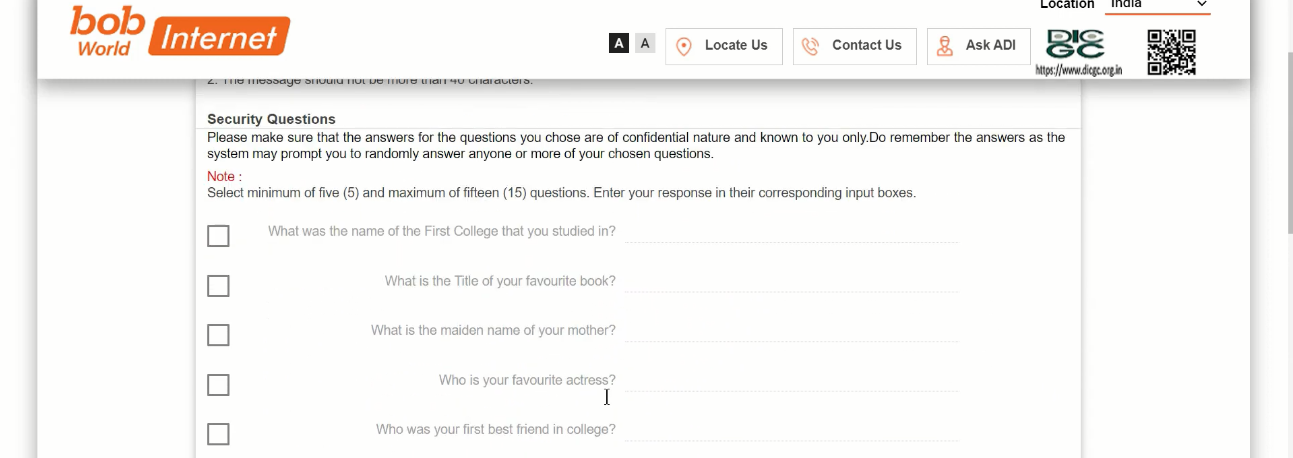
- Select minimum 5 questions and enter answer
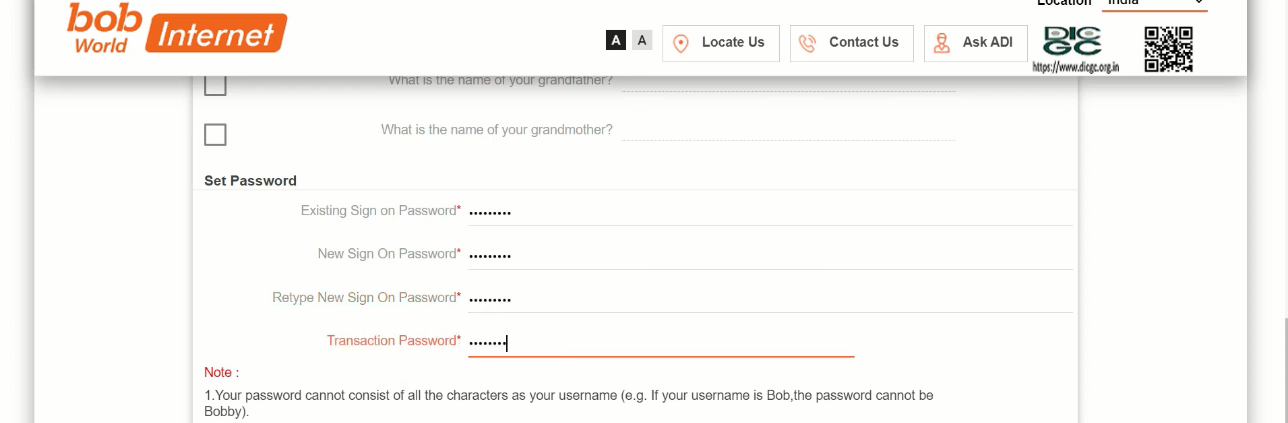
- Enter “Old Password” on Set Password, enter “New Sign On Password” and confirm it, enter “Transaction Password” and click on “Register” button.
- Now you have successfully enrolled, click on “Logout”.
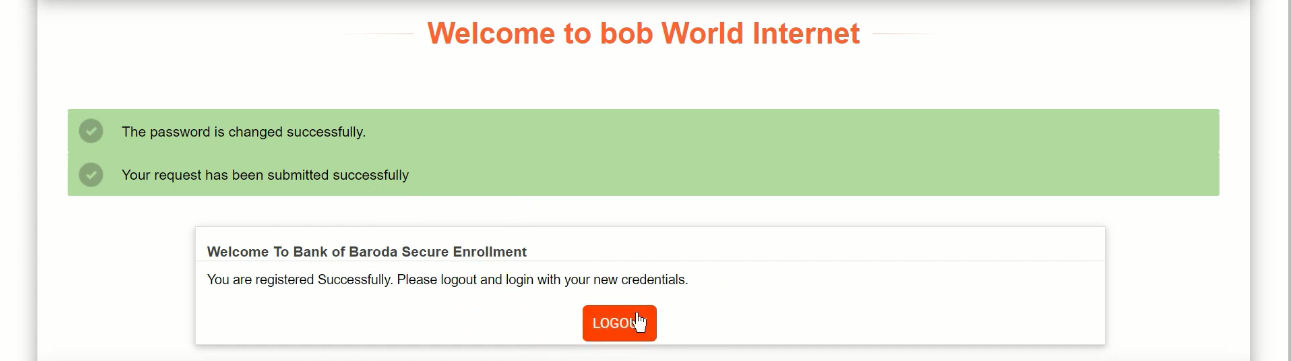
- Again click on “Go to Login Page“
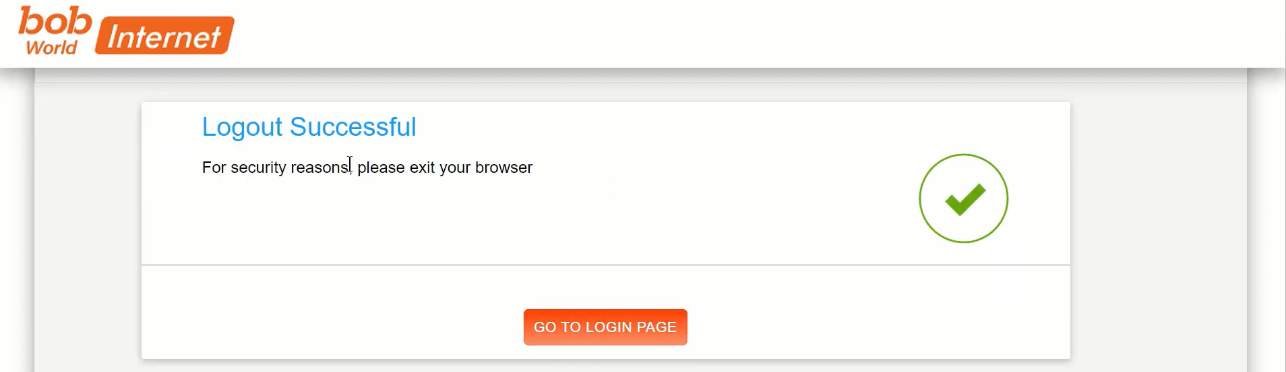
- Re-enter your “User ID” and click on “Login“
- Enter your registered “Mobile Number” and “Continue“

- Enter “OTP” and click on “Continue”
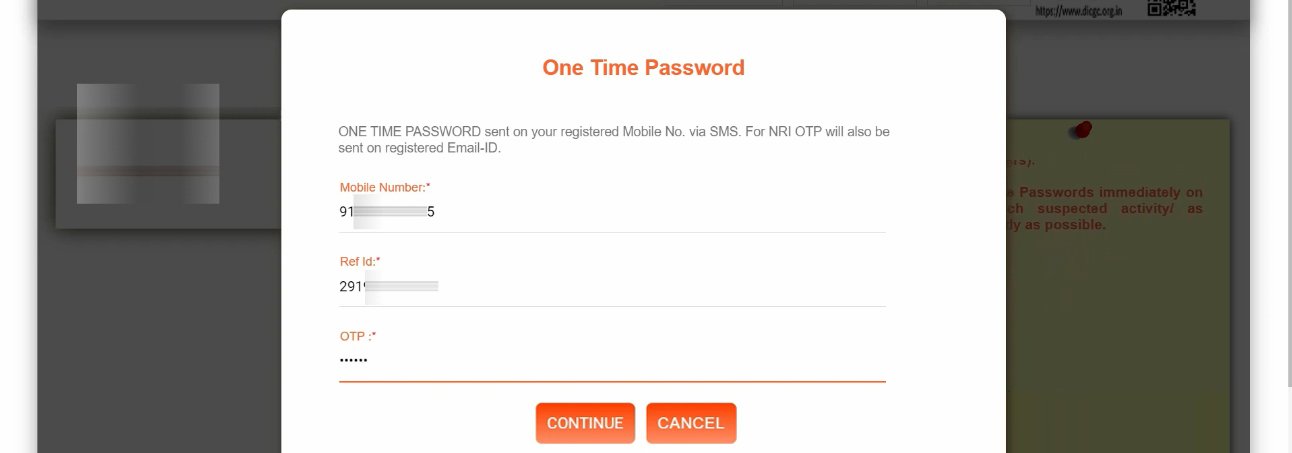
- Enter “Sign On Password” again, “Captcha” and click on “Login“
- Now you are successfully logged in, you can avail all the services through BOB Net Banking.

Important Link
| Official Website | Click Here |
| BOB Net Banking Login Page | Click Here |
| Bank of Baroda Net Banking Portal | Click Here |
| Download Banking Forms | Click Here |

